The Short Version: The best WordPress alternative depends on what you’re building, not which logo you like most. Squarespace for beautiful marketing sites. Shopify for e-commerce. Ghost for blogging. Webflow for designers who want pixel control. Mocha if you need more than a website — real apps with databases, auth, and backend logic, built from plain English.
WordPress powers 43% of the web. It’s also the most attacked CMS on the internet, responsible for more security vulnerabilities than any other platform. In 2025 alone, over 7,000 WordPress plugin vulnerabilities were reported.
But let’s be honest — most people aren’t leaving WordPress because of CVE numbers. They’re leaving because updating one plugin broke three others, because their $12/month “simple website” now costs $80/month in hosting, security, and premium plugins, and because they’re spending more time maintaining their site than running their business.
The question isn’t “what’s the best WordPress alternative?” The question is: what are you actually trying to build?
A portfolio site and a client booking system with payment processing are fundamentally different things. The WordPress ecosystem treats them the same — install a theme, add plugins, pray nothing breaks. Modern tools don’t.
This guide organizes WordPress alternatives by what you’re building, not alphabetically or by popularity. Because the right tool for a restaurant website is not the right tool for a custom CRM.
Why People Are Leaving WordPress in 2026
Plugin Hell Is Real
The average WordPress site runs 20-30 plugins. Each one is a potential security hole, a compatibility risk, and an update you need to manage. The WordPress plugin model made sense in 2006. In 2026, it’s a liability.
Here’s what plugin maintenance actually looks like:
- Security patches: WordPress plugins accounted for 96% of all WordPress vulnerabilities in recent years. Every unpatched plugin is an open door.
- Update conflicts: Update your SEO plugin and your caching plugin breaks. Update your page builder and your contact form disappears. This isn’t an edge case — it’s a Tuesday.
- Performance drag: Each plugin adds database queries, CSS files, and JavaScript. That “lightweight” site you built is now scoring 45 on Google PageSpeed because your five essential plugins added 2MB of assets.
The Hidden Cost of “Free”
WordPress itself is free. Everything around it is not.
A realistic WordPress cost breakdown for a small business site:
| Item | Monthly Cost |
|---|---|
| Managed hosting (SiteGround, WP Engine) | $15-50 |
| Premium theme | $5-10 (amortized) |
| Security plugin (Wordfence, Sucuri) | $8-25 |
| Backup plugin | $5-10 |
| SEO plugin (Yoast Premium) | $8 |
| Form plugin (Gravity Forms) | $5-15 |
| Page builder (Elementor Pro) | $8 |
| Total | $54-126/mo |
That “free” CMS is quietly costing you $650-1,500 per year before you’ve written a single blog post.
The Automattic Drama
The 2024-2025 conflict between Automattic (WordPress.com’s parent company) and WP Engine shook the ecosystem. Trademark disputes, blocked plugin updates, and public feuds between leadership made something clear: the WordPress ecosystem’s governance is fragile. When one company’s CEO can unilaterally block plugin access for millions of sites, the “open source” promise feels less reassuring.
Many businesses started looking for alternatives not because WordPress stopped working, but because they lost confidence that it would keep working.
What Are You Actually Building?
Before comparing tools, answer this question honestly. It determines everything.
| What You Need | Category | Best Tool |
|---|---|---|
| Marketing site, portfolio, restaurant page | Website builder | Squarespace, Wix, Framer |
| Blog, newsletter, content site | Publishing platform | Ghost |
| Online store | E-commerce platform | Shopify |
| Design-heavy site with custom interactions | Visual development | Webflow |
| Headless CMS with API access | Developer CMS | Strapi |
| Enterprise content management | Enterprise CMS | Drupal |
| Business app (CRM, booking, dashboard, portal) | App builder | Mocha |
Most “WordPress alternatives” articles list 15 tools in a row and tell you to “pick the one that fits.” That’s useless. A solopreneur building a portfolio and an agency building a client portal have nothing in common except that they’re both currently frustrated with WordPress.
The sections below are organized by what you’re building. Skip to yours.
Best WordPress Alternatives for Websites
Squarespace — Best for Beautiful Marketing Sites
Starting price: $16/mo | Best for: Portfolios, restaurants, service businesses, creatives
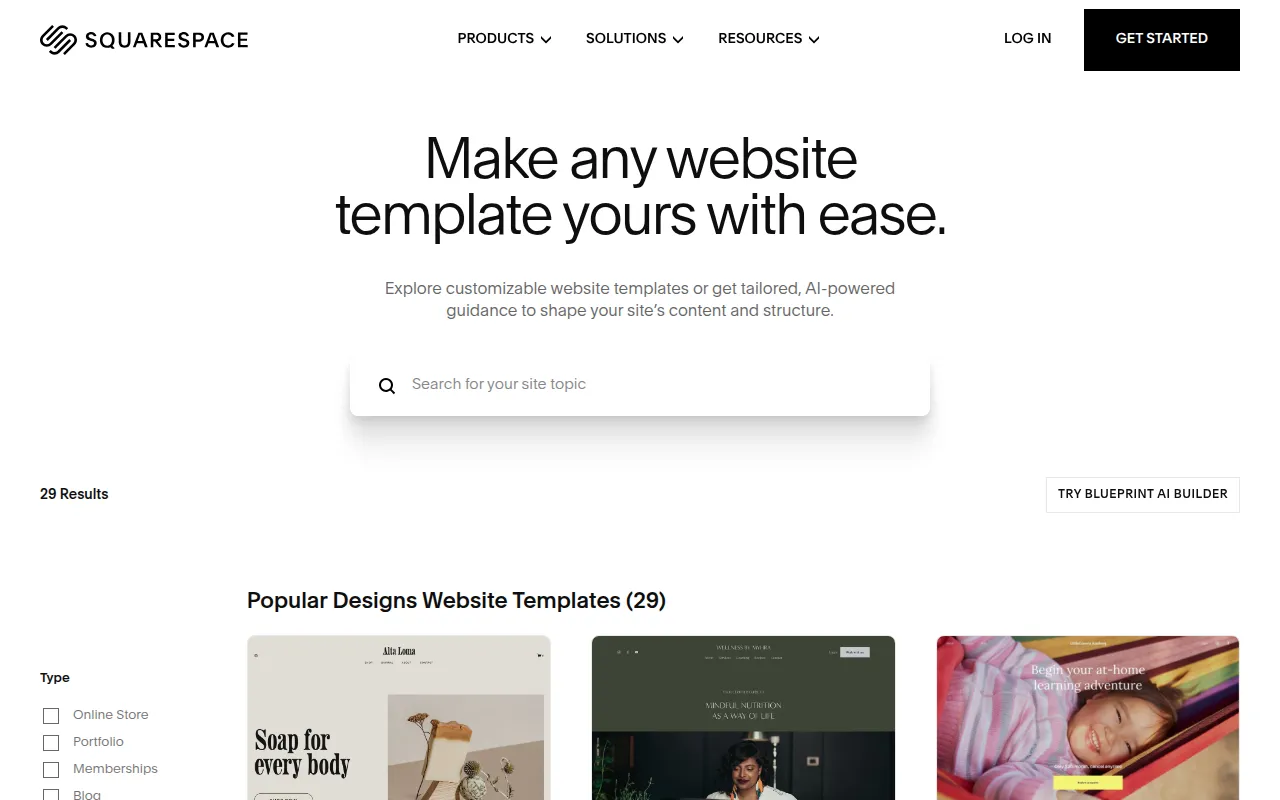
Squarespace is what WordPress wishes it was out of the box — a polished, all-in-one website builder with templates that actually look professional without hiring a designer.
Why people switch from WordPress to Squarespace:
- Templates that look like a designer built them (because designers did)
- SSL, hosting, and security are included — no plugins needed
- Built-in e-commerce for simple stores (not Shopify-level, but enough for most)
- Drag-and-drop editing that non-technical people can actually use
The trade-offs:
- Less customizable than WordPress — you’re working within Squarespace’s design system
- E-commerce features are adequate but not deep (for serious stores, use Shopify)
- No plugin ecosystem — what Squarespace offers is what you get
- Blogs work but feel secondary to the visual design tools
Choose Squarespace if you need a professional-looking website that you can maintain yourself without touching code. Restaurants, photographers, consultants, and small businesses that just need a great-looking online presence.
Skip Squarespace if you need custom functionality beyond what a template can offer — a booking system with business logic, a client portal, or anything that requires a database.
Wix — Best for Beginners Who Want Flexibility
Starting price: $17/mo | Best for: First-time website builders, small businesses wanting DIY
Wix is the most beginner-friendly website builder available. The drag-and-drop editor genuinely requires zero technical knowledge, and the AI site generator can create a starting point from a text description.
Why people switch from WordPress to Wix:
- True drag-and-drop — elements go exactly where you put them
- Wix AI can generate an entire site from a business description
- App market adds functionality without plugin conflicts
- Everything is managed through one dashboard — hosting, domain, email, analytics
The trade-offs:
- The drag-and-drop freedom can result in inconsistent layouts (no grid constraints by default)
- Wix sites have historically scored lower on Core Web Vitals than competitors, though this has improved
- You can’t export your Wix site — once you’re in, you’re in
- Pricing tiers can get confusing with different plans for different features
Choose Wix if you’ve never built a website and want the lowest barrier to entry. You want something live this weekend without learning anything technical.
Skip Wix if you care deeply about performance, need clean code output, or want the option to migrate to another platform later.
Framer — Best for Startup Landing Pages
Starting price: Free / $5/mo (Mini) / $15/mo (Basic) | Best for: Startups, SaaS landing pages, modern design-forward sites
Framer is the newest contender in the website builder space and has become the go-to tool for startup landing pages. The sites are fast, the animations are smooth, and the design quality often rivals custom-built sites.
Why people switch from WordPress to Framer:
- Performance is exceptional — Framer sites consistently score 90+ on PageSpeed
- Animations and interactions that would take days to code are drag-and-drop
- The CMS is simple and clean (great for blogs, changelogs, docs)
- Free plan is genuinely usable for personal projects
The trade-offs:
- Not designed for complex sites with lots of pages or content
- The CMS is intentionally simple — no custom post types, no advanced querying
- Community and ecosystem are smaller than established platforms
- E-commerce is limited to basic integrations
Choose Framer if you’re building a landing page or marketing site where design and speed are the priority. Especially strong for SaaS companies and startups.
Skip Framer if you need a content-heavy site with hundreds of pages, robust e-commerce, or complex content management.
Webflow — Best for Designers Who Want Full Control
Starting price: Free (staging) / $14/mo (Basic) | Best for: Designers, agencies, marketing teams with design skills
Webflow is the most powerful visual development tool available. It translates CSS concepts into visual controls, giving you the precision of custom code without writing it. It’s the WordPress alternative for people who wanted WordPress to be better, not simpler.
Why people switch from WordPress to Webflow:
- Pixel-perfect control over every element without code
- The CMS is flexible enough for complex content structures
- Clean, semantic HTML output (unlike most page builders)
- Built-in hosting on a fast CDN with SSL included
The trade-offs:
- The learning curve is real — Webflow requires understanding of CSS concepts (flexbox, grid, positioning)
- If you need application logic (user accounts, data processing, forms beyond basic submissions), you need external tools like Wized + Xano, creating an expensive stack
- Pricing can escalate quickly for client projects (per-site plans)
- Not designed for non-technical users — it’s a design tool, not a website builder
Choose Webflow if you’re a designer or agency that wants visual control over every pixel. The output quality is genuinely best-in-class.
Skip Webflow if you’re not comfortable with design concepts like flexbox and positioning. Webflow’s power is its complexity — and that complexity is a barrier for most people.
Best WordPress Alternative for Blogging
Ghost — Best for Writers and Publishers
Starting price: $9/mo (Starter) | Best for: Bloggers, newsletter writers, publishers, content creators
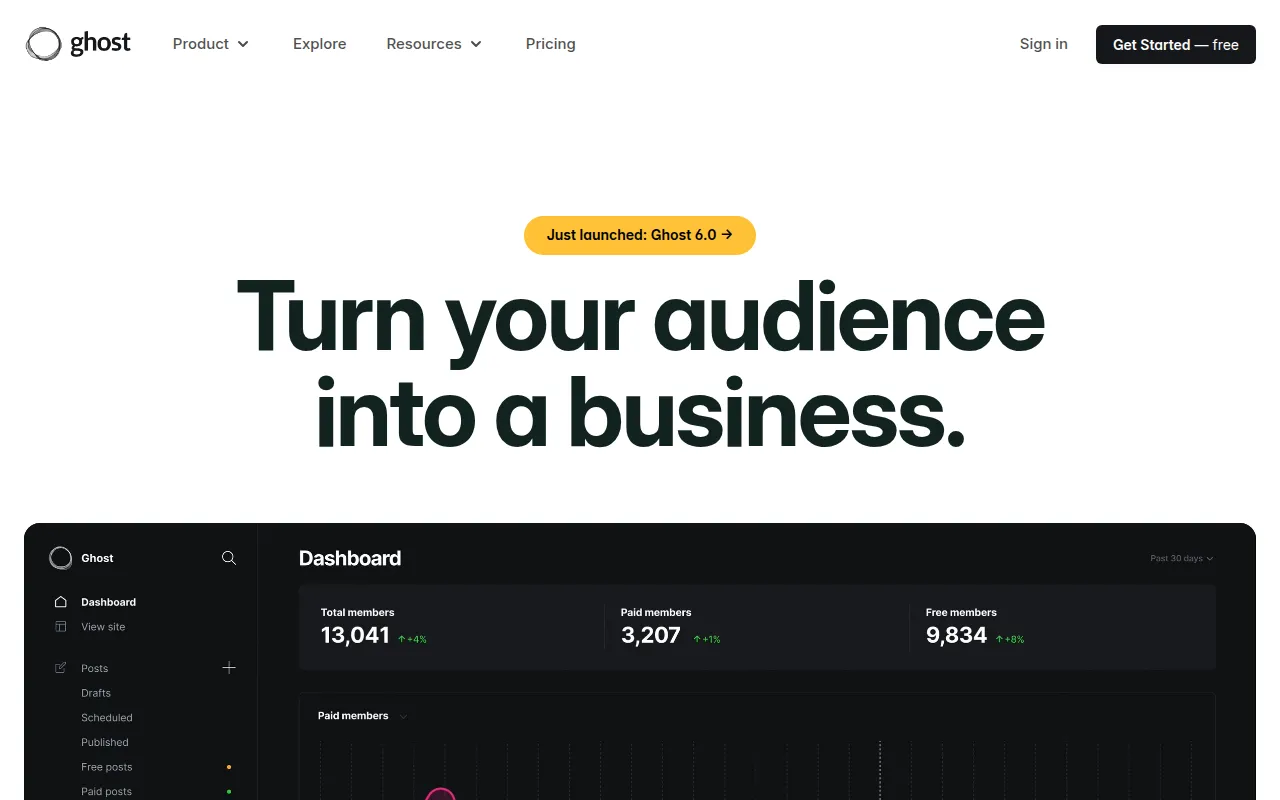
Ghost is the most direct WordPress replacement for people who primarily blog. It’s an open-source publishing platform built from the ground up for writing — no plugin bloat, no theme conflicts, no security anxiety.
Why people switch from WordPress to Ghost:
- The editor is clean and distraction-free — Markdown-native with rich embeds
- Built-in newsletter and membership features (no Mailchimp plugin needed)
- Performance is dramatically better than WordPress — Ghost sites are fast by default
- Native SEO features without needing Yoast or RankMath
- Open source with self-hosting option (free) or managed hosting
The trade-offs:
- Ghost is a publishing platform, not a general-purpose CMS — it’s intentionally focused
- The theme ecosystem is much smaller than WordPress
- If you need anything beyond content and memberships, Ghost isn’t the tool
- Managed hosting starts at $9/mo (Starter) and goes up to $199/mo (Business)
Choose Ghost if your primary use case is writing. If WordPress was your blogging platform and you’re tired of the maintenance overhead, Ghost is the cleanest migration path.
Skip Ghost if you need a full website with landing pages, service pages, and custom layouts. Ghost handles content pages, but it’s not a website builder.
Best WordPress Alternative for E-Commerce
Shopify — Best for Online Stores
Starting price: $39/mo (Basic) | Best for: Product-based businesses, dropshipping, DTC brands
If you’re using WordPress + WooCommerce to sell products, Shopify is the upgrade you’ve been resisting because it costs more. It costs more because it does more — and it does it without breaking.
Why WooCommerce users switch to Shopify:
- Checkout is optimized for conversion out of the box (Shop Pay converts 36% higher than guest checkout)
- Payment processing, shipping, taxes, and inventory are all integrated
- The app store adds functionality without the plugin conflict nightmare
- PCI compliance, security, and hosting are all handled — you sell, Shopify handles infrastructure
The trade-offs:
- Transaction fees on non-Shopify Payments gateways (0.5-2%)
- Monthly cost is higher than WooCommerce’s “free” plugin — but WooCommerce’s real cost is your time and hosting
- Customization requires learning Liquid (Shopify’s template language) for deep changes
- $39/mo for Basic is the starting point — real stores often need $79-399/mo plans
Choose Shopify if you’re selling physical or digital products and want a platform that handles the infrastructure so you can focus on selling. The migration from WooCommerce is well-documented with official tools.
Skip Shopify if you’re selling fewer than 10 products or your “store” is really just a service business that takes payments. You might not need a full e-commerce platform.
Best WordPress Alternatives for Developers
Strapi — Best Open-Source Headless CMS
Starting price: Free (self-hosted) / $29/mo (Cloud Pro) | Best for: Developers building content-driven apps with any frontend
Strapi is the WordPress alternative for developers who want a CMS without the WordPress baggage. It’s API-first, open-source, and gives you full control over your content structure.
Why developers switch from WordPress to Strapi:
- RESTful and GraphQL APIs out of the box — no WP REST API workarounds
- Content types are defined through a visual builder or code — not locked to “posts” and “pages”
- Use any frontend framework: React, Vue, Next.js, Nuxt, Astro — Strapi doesn’t care
- Self-hosted on your own infrastructure (or use Strapi Cloud)
- TypeScript-first, modern Node.js architecture
The trade-offs:
- Strapi is a CMS, not a website builder — you need to build the frontend yourself
- Self-hosting means you’re responsible for deployment, scaling, and security
- Plugin ecosystem is growing but much smaller than WordPress
- Cloud pricing adds up for teams ($29/mo for Pro, $99/mo for Team)
Choose Strapi if you’re a developer who wants content management without WordPress’s legacy architecture. Pair it with Next.js or Astro for a modern stack.
Drupal — Enterprise CMS (Brief Mention)
Starting price: Free (self-hosted) | Best for: Large organizations with dedicated development teams
Drupal is WordPress’s older, more serious sibling. It handles complex content modeling, granular permissions, and multi-site architectures better than anything else in the open-source CMS world. But it requires PHP development skills, a steeper learning curve than WordPress, and dedicated hosting infrastructure. If you’re reading a “WordPress alternatives” article, Drupal is probably not what you need — but if your organization has compliance requirements and a dev team, it’s worth evaluating.
Best WordPress Alternative When You Need More Than a Website
Mocha — AI-Powered App Builder for Non-Technical People
Starting price: Free / $20/mo (Bronze) | Best for: Entrepreneurs, small businesses, anyone who needs a real app — not just a website
Here’s the thing most WordPress alternatives articles won’t tell you: a lot of people using WordPress don’t actually need a website. They need an application.
They need a booking system. A client portal. An expense tracker. A CRM. A quote generator. A membership dashboard. And they’ve been trying to build it with WordPress + five plugins because that’s the only tool they know.
Mocha is built for these people. You describe what you want in plain English, and Mocha builds a complete, working application — not a static site with a contact form, but a real app with a database, user authentication, backend logic, and hosting. All included.
What makes Mocha different from website builders:
| Website Builders | Mocha |
|---|---|
| Build pages with templates | Build apps from descriptions |
| Add functionality via plugins | Functionality is built-in |
| Need external services for auth, database, payments | Auth, database, hosting, payments all included |
| You maintain the stack | Mocha maintains everything |
Example: Replacing WordPress + 3 Plugins with One Prompt
Instead of installing WordPress + Contact Form 7 + WooCommerce Bookings + Stripe plugin, try this:
I need:
- A public landing page with my services, pricing, and testimonials
- An online booking system where clients pick a service, choose a time slot, and pay upfront via Stripe
- A client portal where they can see upcoming appointments and past session notes
- An admin dashboard where I can manage bookings, view revenue, and add session notes after each meeting
- Automated email confirmations when someone books
My services:
- Strategy Session (60 min) - $150
- Full Audit (2 hours) - $400
- Monthly Retainer Setup (30 min call) - Free
Use a clean, professional design. Navy and white color scheme.
That single prompt replaces WordPress + a theme + a booking plugin + a payment plugin + a CRM plugin + an email plugin. And it actually works — deployed, live, with a URL you can share with clients.
We’ve seen users build custom CRMs that replace Salesforce for small teams, salon booking apps that replace Mindbody, form builders with AI scoring that replace Typeform, and expense trackers that replace QuickBooks. If you’re curious what that process looks like, our beginner’s guide to building with AI walks through it step by step.
Why You Don’t Need a Plugin Marketplace
The biggest reason people stay on WordPress is plugins. Need a contact form? Plugin. Need SEO? Plugin. Need bookings? Plugin. The ecosystem has 60,000+ options for nearly everything.
But plugins come with a cost: money, maintenance, compatibility risk, and security holes. And they’re generic — a booking plugin built for millions of users will never fit your business perfectly.
Mocha flips this model entirely. Instead of searching a marketplace for a plugin that sort of does what you need, you describe exactly what you want and Mocha builds it — custom to your business, integrated into your app, no extra cost. Need a loyalty points system? Describe it. Need a custom invoice generator with your branding? Describe it. Need a waitlist with automatic position notifications? Describe it.
Every “plugin” is free, built to your exact spec, and can’t conflict with anything because it’s part of your app — not bolted on top.
Honest limitations — where Mocha isn’t the right choice:
- No code export: You can’t download your app’s source code and host it yourself. If you need code ownership, look at vibe coding tools like Bolt.new or Lovable.
- No enterprise CMS workflows: If you need editorial workflows, content staging, and multi-editor permissions, Ghost or Drupal handle this better.
- No pixel-perfect design control: Mocha builds clean, functional UIs, but if you need designer-level control over every shadow and animation, Webflow or Framer give you more precision.
Choose Mocha if you’ve been fighting WordPress plugins to do something WordPress wasn’t designed for. If you need a real application — with data, users, and logic — not just pages with pretty layouts. Start building for free.
Skip Mocha if you specifically need a content management system, a blogging platform, or pixel-perfect design control. Use Ghost for content, Webflow for design, or Shopify for e-commerce.
Full Comparison: All 10 WordPress Alternatives
Pricing and Learning Curve
| Tool | Best For | Starting Price | Learning Curve |
|---|---|---|---|
| Squarespace | Marketing sites, portfolios | $16/mo | Low |
| Wix | Beginners | $17/mo | Very Low |
| Framer | Startup landing pages | Free/$5/mo | Low-Medium |
| Webflow | Designers, agencies | Free/$14/mo | High |
| Ghost | Blogging, newsletters | $9/mo | Low |
| Shopify | E-commerce | $39/mo | Medium |
| Strapi | Developers (headless CMS) | Free/$29/mo | High |
| Drupal | Enterprise | Free (self-host) | Very High |
| Mocha | Apps, business tools | Free/$20/mo | Very Low |
| WordPress | (reference) | Free/$4+/mo | Medium-High |
Built-in Infrastructure
| Tool | AI Features | Hosting | Database | Auth |
|---|---|---|---|---|
| Squarespace | AI text assist | Yes | No | No |
| Wix | AI site generator | Yes | Limited | Limited |
| Framer | AI layout assist | Yes | No | No |
| Webflow | AI text assist | Yes | CMS only | No |
| Ghost | No | Yes (managed) | No | Members only |
| Shopify | AI product descriptions | Yes | Yes | Yes |
| Strapi | No | Cloud option | Yes | Yes |
| Drupal | Limited | No | Yes | Yes |
| Mocha | AI builds entire apps | Yes | Yes | Yes |
| WordPress | Via plugins | No | Via hosting | Via plugins |
The pattern is clear: specialized tools include what WordPress makes you bolt on. Hosting, security, SSL, databases — they’re not optional extras in modern platforms. They’re table stakes.
The WordPress Plugin Tax: What You’re Really Paying
WordPress isn’t free when you factor in the plugins you need to match what dedicated platforms include by default. Here’s what common WordPress plugin stacks actually cost versus their dedicated alternatives:
Building a Marketing Website
| WordPress Stack | Cost | Alternative | Cost |
|---|---|---|---|
| Hosting (SiteGround) | $15/mo | Squarespace (all-in-one) | $16/mo |
| Elementor Pro | $8/mo | ||
| Yoast Premium | $8/mo | ||
| Wordfence | $8/mo | ||
| UpdraftPlus | $5/mo | ||
| Total | $44/mo | Total | $16/mo |
Running an Online Store
| WordPress Stack | Cost | Alternative | Cost |
|---|---|---|---|
| WP Engine hosting | $30/mo | Shopify Basic | $39/mo |
| WooCommerce (free) | $0 | ||
| WooCommerce Subscriptions | $17/mo | ||
| Stripe plugin | $7/mo | ||
| Security + backups | $15/mo | ||
| Total | $69/mo | Total | $39/mo |
Building a Business Application
| WordPress Stack | Cost | Alternative | Cost |
|---|---|---|---|
| Managed hosting | $25/mo | Mocha Bronze | $20/mo |
| Booking plugin (Amelia) | $16/mo | ||
| CRM plugin (FluentCRM) | $8/mo | ||
| Payment plugin | $8/mo | ||
| Form plugin (Gravity Forms) | $10/mo | ||
| Member plugin (MemberPress) | $15/mo | ||
| Total | $82/mo | Total | $20/mo |
The WordPress “free” advantage disappears the moment you need real functionality. And these cost comparisons don’t include the most expensive cost of all: your time debugging plugin conflicts.
How to Choose: The Decision Framework
Stop comparing feature lists. Ask yourself these questions:
Choose Squarespace if: You need a professional website that looks great out of the box. You’re a restaurant, photographer, consultant, or service business. You don’t need custom functionality — you need a beautiful online presence.
Choose Wix if: You’ve never built a website and want the lowest barrier to entry. You want something live this weekend without learning anything technical.
Choose Framer if: You’re building a landing page for a startup or SaaS product. Design and speed are your priorities. You want modern animations without writing code.
Choose Webflow if: You’re a designer or agency that needs pixel-perfect control. You understand CSS concepts and want the power of custom code with visual tools.
Choose Ghost if: You’re a writer, blogger, or publisher. Content is your product. You want a clean writing experience with built-in newsletters and memberships.
Choose Shopify if: You’re selling products — physical or digital. You want a platform that handles payments, shipping, taxes, and inventory so you can focus on selling.
Choose Strapi if: You’re a developer building a content-driven application. You want API-first content management with full control over the frontend.
Choose Drupal if: You’re an enterprise with a development team, compliance requirements, and complex content modeling needs.
Choose Mocha if: You need more than a website. You need a real application — with a database, user accounts, and business logic — and you don’t want to code it or manage infrastructure. You’re a small business owner, entrepreneur, or founder who’s been fighting WordPress plugins to do things WordPress wasn’t built for.
Stick with WordPress if: You have an existing site that works, a developer who maintains it, and no compelling reason to migrate. WordPress’s plugin ecosystem is still unmatched in breadth — if you have the technical skills to manage it.
Frequently Asked Questions
Make the Switch
WordPress was revolutionary in 2003. It democratized web publishing when the alternative was hand-coding HTML. But the web has moved on, and the tools have gotten dramatically better — and simpler.
If you’re building a website, Squarespace, Wix, Framer, or Webflow will get you there faster, cheaper, and with less maintenance than WordPress.
If you’re building a blog, Ghost is the cleanest path forward.
If you’re building a store, Shopify handles the hard parts so you don’t have to.
If you’re building something more — a business tool, a client portal, an app that actually does things — Mocha builds it from plain English. No plugins. No infrastructure. No code.
Ready to leave WordPress behind?
- Start building for free with Mocha
- Learn how to build with AI — beginner’s guide
- Get expert tips for AI web builders
This comparison reflects WordPress alternatives as of March 2026. Pricing and features may change — check each platform’s website for current details. Last updated: March 2026.
Disclosure: This article is written by the Mocha team. We’ve aimed for honest, balanced coverage and acknowledged where competitors excel. We encourage you to try multiple tools before deciding.